










Enumerating Samba/SMB Servers
Unintentionally leaving port 445 open or misconfiguring Samba can risk catastrophic damage to a corporation. Enumerating the Samba/SMB port can return critical information about file shares, users, printers and network groups. This can be a cornerstone for brute forcing accounts and accessing unprotected Samba shares.
enum4linux
Enum4Linux comes installed on Parrot OS 4.7 by default. You may have to manually install it on prior versions.
sudo apt-get install -y enum4linuxIf port 445 is open enum4linux will try to communicate with the server under a guest account to gain insightful knowledge about the server. It will return information about users, printers, and file shares.
enum4linux 192.168.0.18You will want to identify the sensitive and useful information in the output of the terminal.

Enum4Linux Results 
Password policy information 
File share information 
Local user accounts (aeolus, cronus)
smbtree
This tool is a CLI text-based smb network browser.
smbtreesmbclient
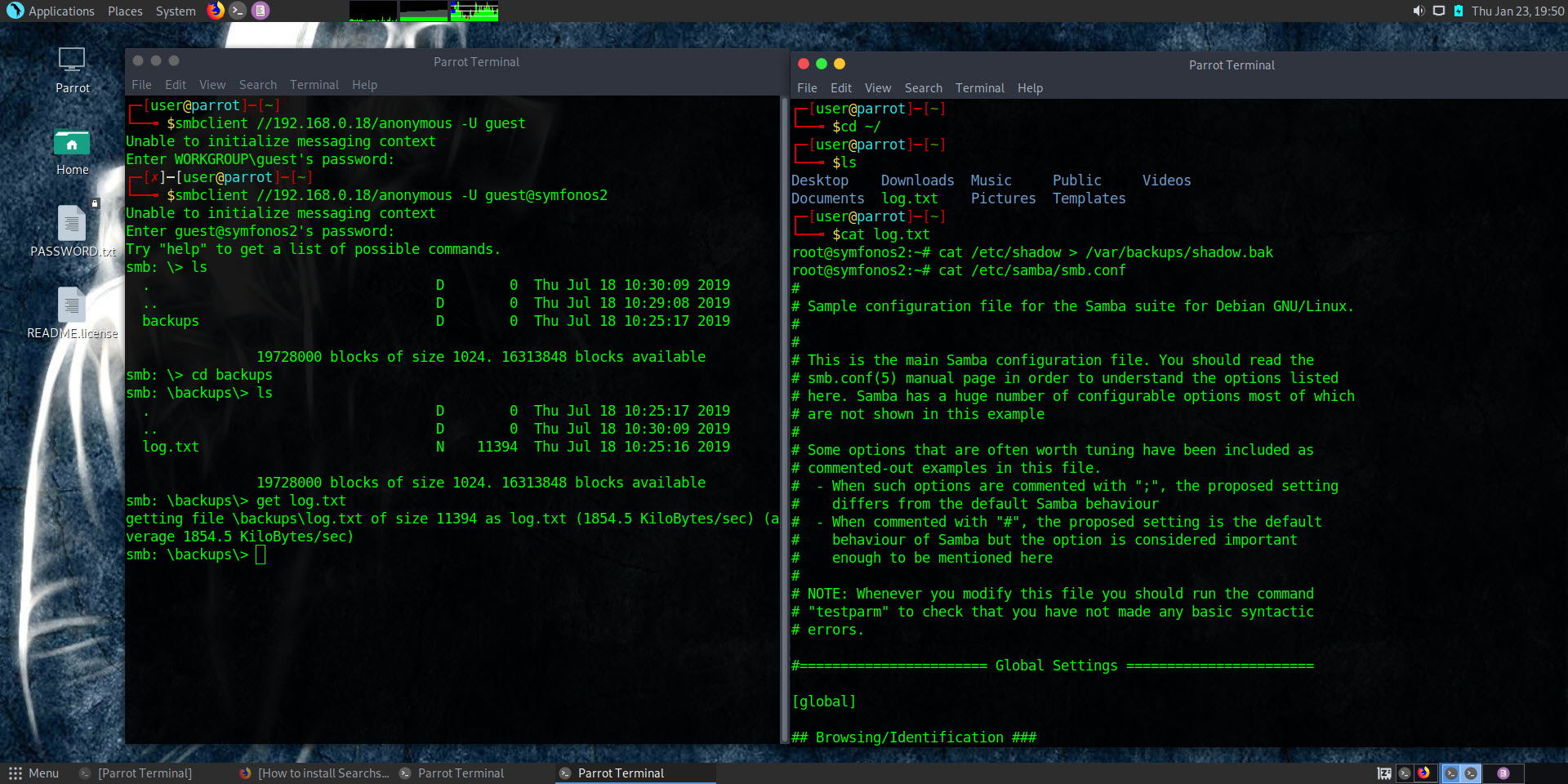
This example can be found in the VulnHub: Symfonos 2
smbclient commands
-n – no password
-U account
smbclient //192.168.0.18/anonymous -U guest@symfonos2
ls
cd backups
get log.txt
Network Browser in Parrot OS
Another way to connect to an smb client is by using the GUI. This is very easy. First you have to click File and then click “Connect to Server..”. This will open a dialog where you must enter the Samba server connection details.
If it asks for a password on a guest account just put a single space.