












Azure App Config + Key Vault
In distributed environments using a centralized configuration store and secret store can improve security posture, increase productivity, and make managing secrets much more effective. In this article, I’ll cover how these technologies play together and demonstrate some tips and tricks.
https://github.com/mrjamiebowman-blog/dotnet-appconfig-keyvault
Pricing (as of 2026)
This is subject to change but starting out, Basic Azure App Config is free and Standard Azure App Config is around $36 dollars a month. Key Vault can be cheap for secrets costing less than a dollar for small applications. They do charge more for certificate generation, etc.
https://azure.microsoft.com/en-us/pricing/calculator
Benefits
The most benefits come from combining Azure App Config with Key Vault and not one individually. Together they make a wonderful team with different strengths. App Config will reference secrets in Key Vault. When retrieving configuration from App Config it will return the secrets as well. This makes it a breeze to work with.
Command Line Integration
All of this can be used with command-line integration so we can read, write and audit configuration and secrets in scripts or a terminal.
Azure App Config
# login
az login --use-device-code

# variables
rg="rg-dev"
location="centralus"
appConfigName="appcs-dev"
keyVaultName="kv-dev"

# set
az appconfig kv set \
  --name $appConfigName \
  --key "App:Name" \
  --value "App" \
  --yes

# set with label
az appconfig kv set \
  --name $appConfigName \
  --key "Logging:LogLevel:Debug" \
  --value "Information" \
  --label "dev" \
  --yes

# list
az appconfig kv list \
  --name $appConfigName

# list by label
az appconfig kv list \
  --name $appConfigName \
  --label "dev"

# show specific key
az appconfig kv show \
  --name $appConfigName \
  --key "AuthCheck:DiscoveryUrl"

# delete
az appconfig kv delete \
  --name $appConfigName \
  --key "App:Name" \
  --yes
Azure Key Vault
# login
az login --use-device-code

# variables
rg="rg-dev"
location="centralus"
appConfigName="appcs-dev"
keyVaultName="kv-dev"

# set
az keyvault secret set \
  --vault-name $keyVaultName \
  --name "SqlConnectionString" \
  --value "Server=tcp:example.database.windows.net;Database=AppDb;..."

# read
az keyvault secret show \
  --vault-name $keyVaultName \
  --name "SqlConnectionString"

# read
az keyvault secret show \
  --vault-name $keyVaultName \
  --name "SqlConnectionString" \
  --query "value" \
  -o tsv

# list
az keyvault secret list \
  --vault-name $keyVaultName

# delete
az keyvault secret delete \
  --vault-name $keyVaultName \
  --name "SqlConnectionString"
Key Vault
Secret Versioning
Key Vault can do secret versioning which means it’s easy to “rollback” or see what the previous secret version was or if we need to we can point to a certain version of a secret from App Config. The number on the end represents the version (4321c6d3a123456789048a39123456b7).
https://keyvaultname.vault.azure.net/secrets/APPLICATIONINSIGHTS-CONNECTIONSTRING/4321c6d3a123456789048a39123456b7Automatic Secret Rotation
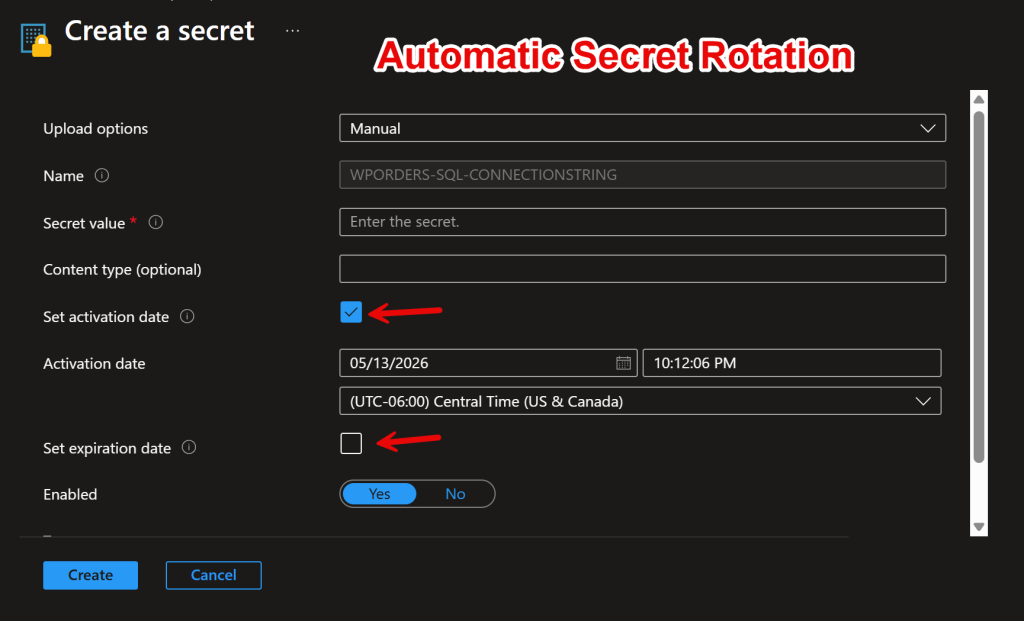
With Key Vault we can rotate keys on a schedule. This is a built in feature where one secret can become active or inactive at a scheduled time period. This is a wonderful feature but it can be tricky to implement. We would need to restart the service or properly implement App Config to reload configuration (It can be tricky to get working.)
Azure App Config
Labels (Filters)
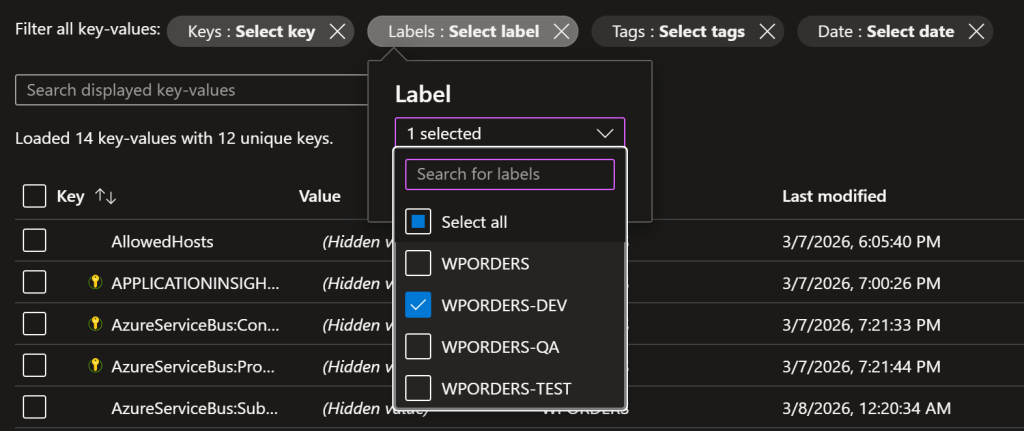
We can filter configuration by labels. I typically use a label per environment. If I have an API service called “WordPress Orders (WPORDERS)” and it has several environments I may have these as labels “WPORDERS-DEV”, “WPORDERS-TEST”, “WPORDERS-QA”, “WPORDERS” (Production).
TIP: Managing Production Secrets
Side note: typically, I have a Non-Production Key Vault and a Production Key Vault to separate secrets. This allows for separate credentials for each environment. We can use a 1-to-many relationship with App Config and Key Vault to reduce costs and increase security. It takes an App Config Connection String + a Credential that has access to Key Vault for these two to work.
Feature Management
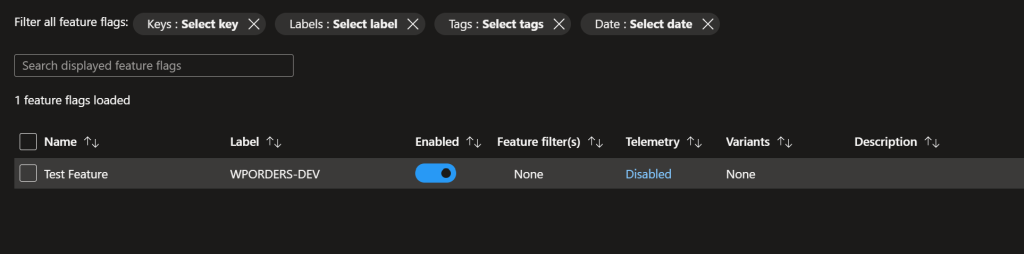
App Config has feature management flags that can turn features on and off.
Importing / Exporting
Azure App Config has the ability to filter configuration via labels. This can be used to retrieve configuration from individual environments.
Another amazing benefit (will cover this in implementation) is that we can select and retrieve multiple labels with Azure App Config. So, for example, if we have a “common” or shared configuration we can combine configuration. This means instead of distributing these settings to all of the applications we can maintain it in a single location.
Key Vault Integration
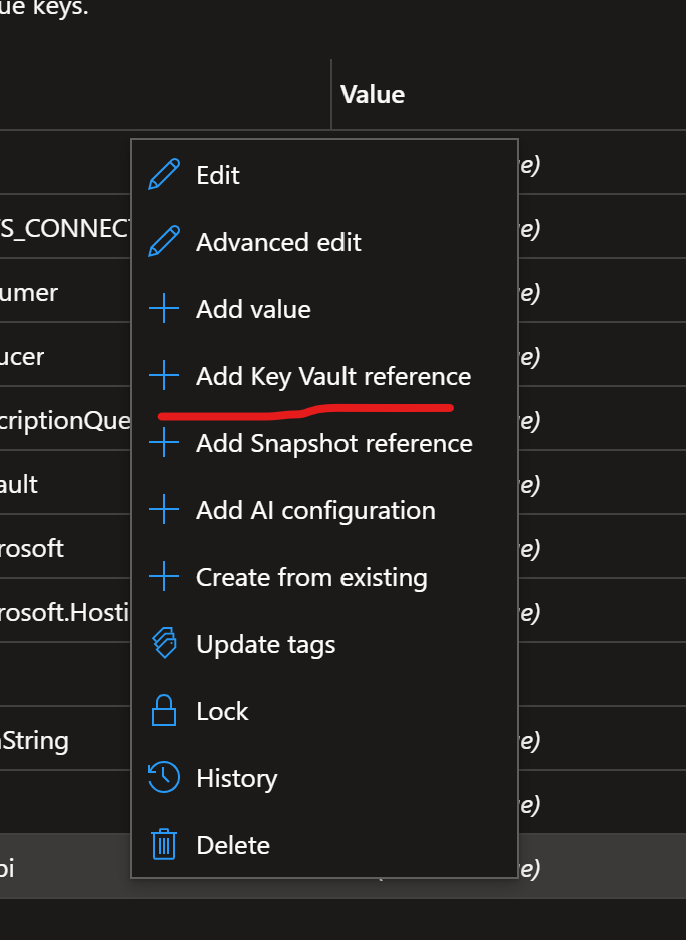
With Azure App Config we can easily link to a secret in Key Vault.
We can right-click and access a context menu in Azure App Config and then make a reference to a Key Vault Seceret.
The App Configs and Key Vaults can have a many-to-many relationship.
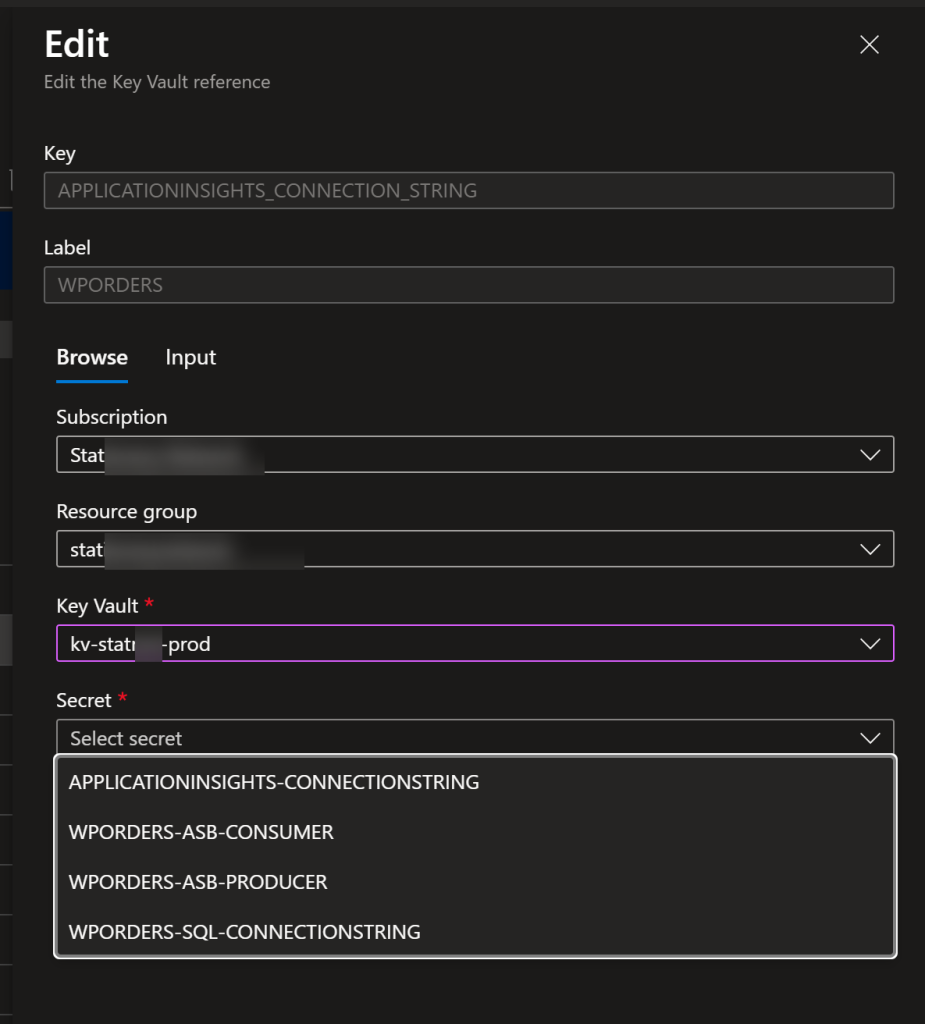
Implementation
public static class Builder
{
    public static TBuilder ConfigureAzureAppConfig<TBuilder>(this TBuilder builder) where TBuilder : IHostApplicationBuilder
    {
        // azure app config
        builder.Configuration.AddAzureAppConfiguration(options =>
        {
            // app config
            var appConfigConnStr = builder.Configuration["AZ_APPCONFIG_CONNECTION_STRING"];
            var azLabelFilter = builder.Configuration["AZ_APPCONFIG_LABEL_FILTER"] ?? "MRJB-APPCONFIG-DEV";

            // client id & secret
            var tenantId = builder.Configuration["AZ_TENANT_ID"];
            var clientId = builder.Configuration["AAD_CLIENT_ID"];
            var secret = builder.Configuration["AAD_CLIENT_SECRET"];

            // validation
            var missing = new List<string>();

            if (string.IsNullOrWhiteSpace(appConfigConnStr))
                missing.Add("AZ_APPCONFIG_CONNECTION_STRING");

            if (string.IsNullOrWhiteSpace(tenantId))
                missing.Add("AZ_TENANT_ID");

            if (string.IsNullOrWhiteSpace(clientId))
                missing.Add("AAD_CLIENT_ID");

            if (string.IsNullOrWhiteSpace(secret))
                missing.Add("AAD_CLIENT_SECRET");

            if (missing.Count > 0) {
                throw new InvalidOperationException("Missing required Azure App Config configuration values: " + string.Join(", ", missing));
            }

            // label(s)
            options.Select(KeyFilter.Any, azLabelFilter);

            options.Connect(appConfigConnStr).ConfigureKeyVault(kv => {
                kv.SetCredential(new ClientSecretCredential(tenantId, clientId, secret));
            });
        });

        return builder;
    }
}
Filtering Multiple Labels
If we wanted to return more than one label, we can.
            // label(s)
            options.Select(KeyFilter.Any, "LOGGING-DEFAULT");
            options.Select(KeyFilter.Any, azLabelFilter);