











.NET: Application Insights Availability Checks (Internal / External)
I’ve created and I am sharing a .NET Microservice that takes a list of sites and runs availability checks. This is useful for internal or private networks (internal). Azure Application Insights, has capabilities that can run availability checks from multiple regions but it must go over the public internet. This creates a problem for internal applications that need tracking.
https://github.com/mrjamiebowman/AvailabilityChecks
Availability Checks in Application Insights
I’m going to show how to set up an Availability Check in Application Insights. I think this is a good place to start so we can compare the process and functionality with setting up a private network check.
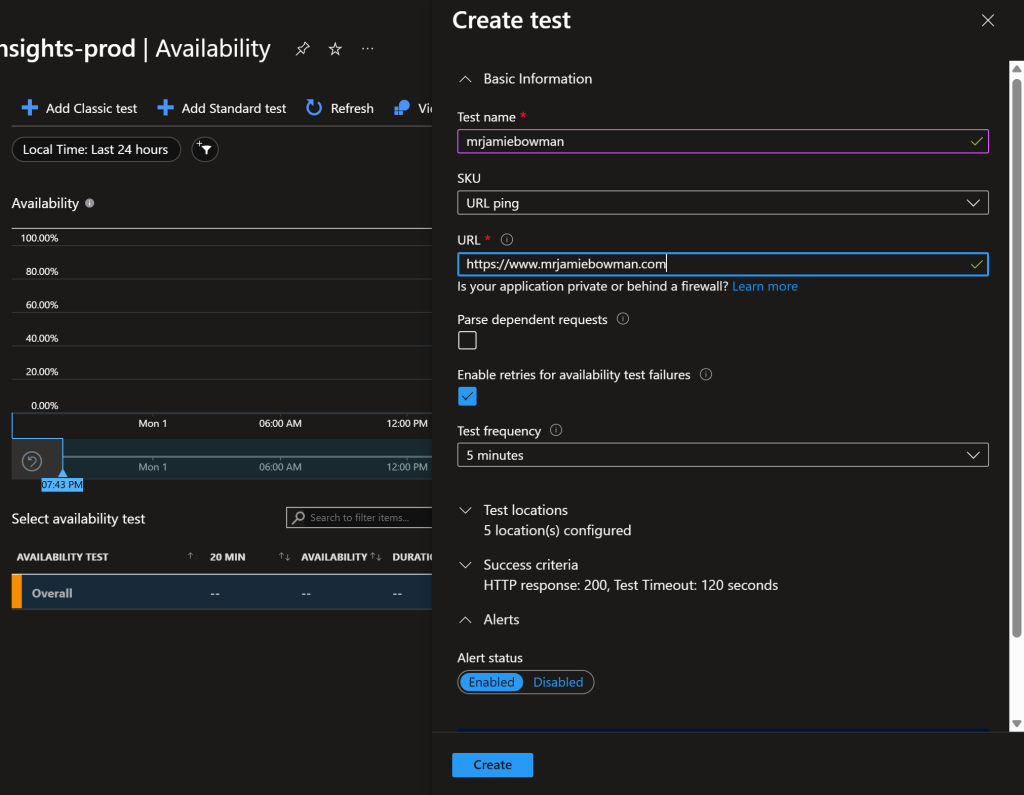
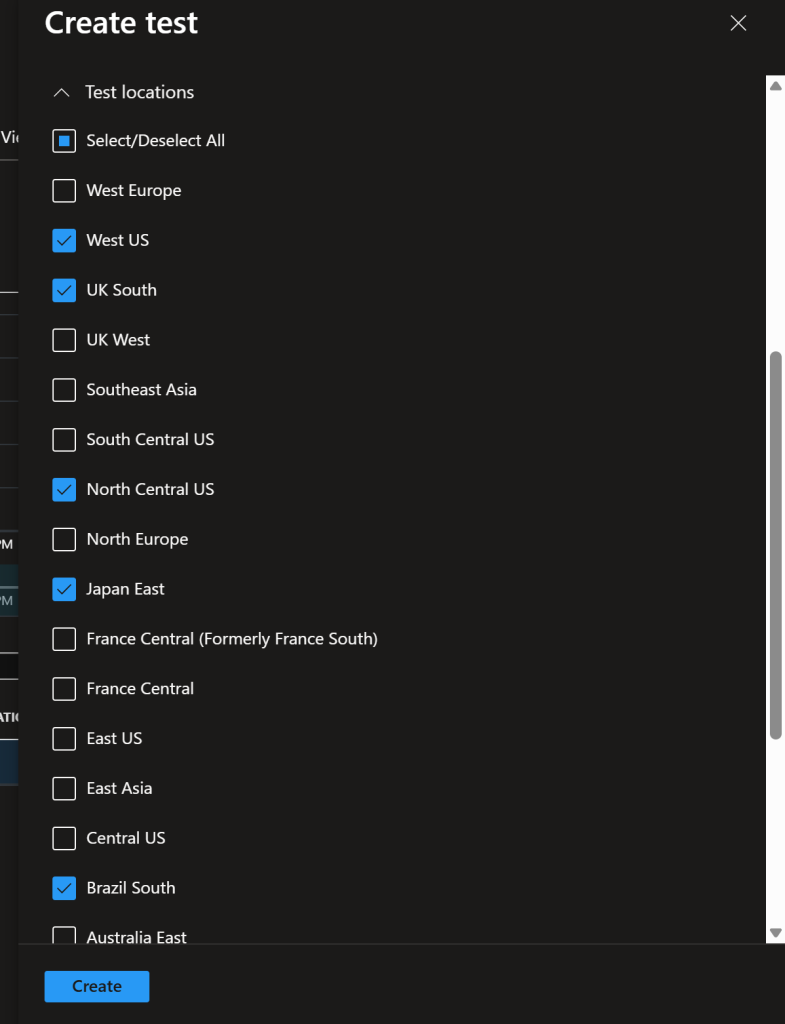
Classic Tests
These tests are basic in nature and do not check the SSL validity.
Standard Test
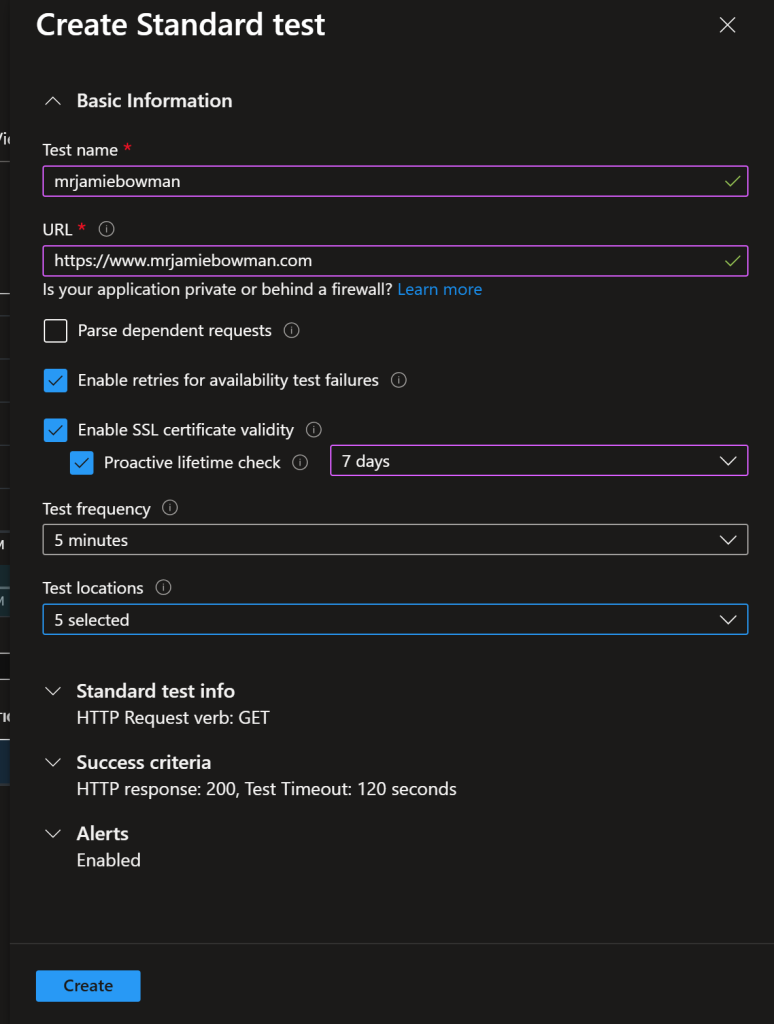
A standard test has slightly more capabilities than the Classic Test. This test can include SSL validity.
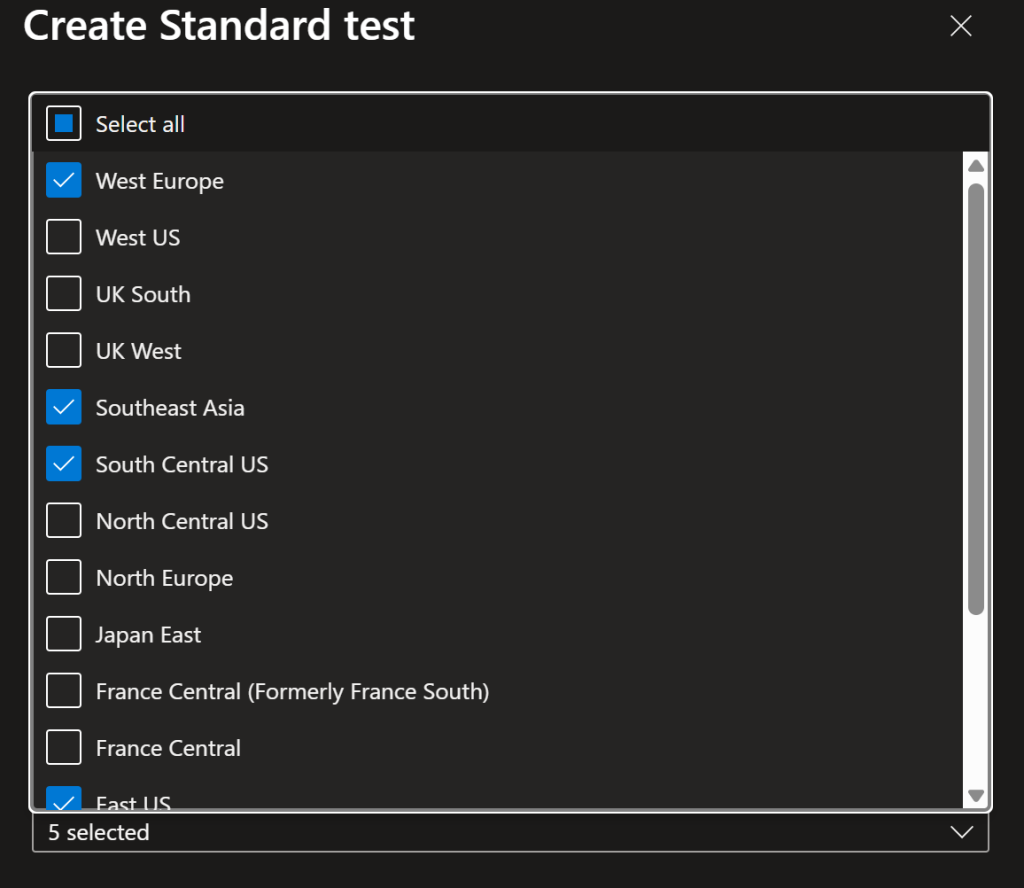
Dashboard Availability Check Blades
I let this Standard Availability Check run over night. What you should notice here is that this is capable of checking from multiple international regions and tracks how long it takes to load. This is averaged out over 20 minute time span and will give you an idea of where it’s loading, if it’s loading, and how long it takes to load.
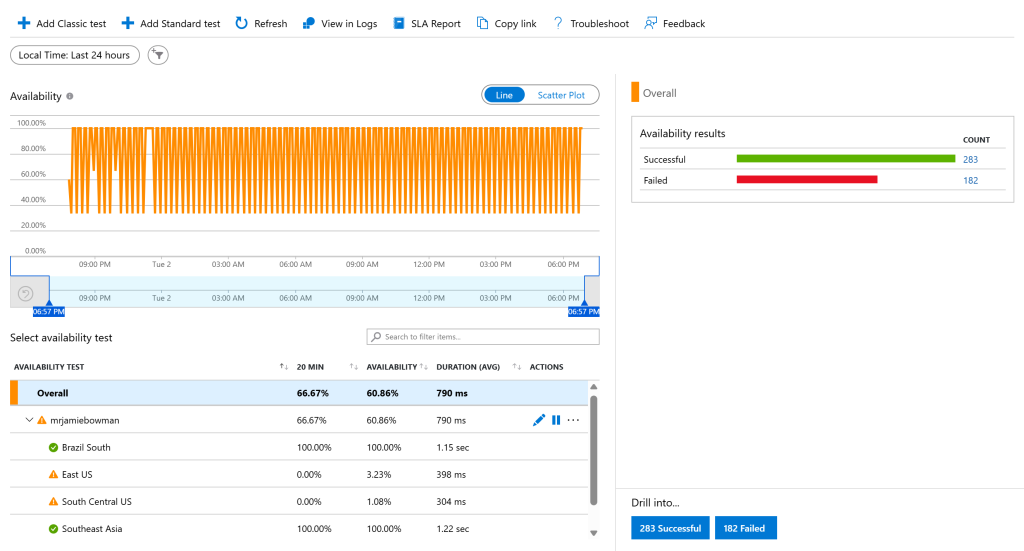
Analyzing Failed Tests
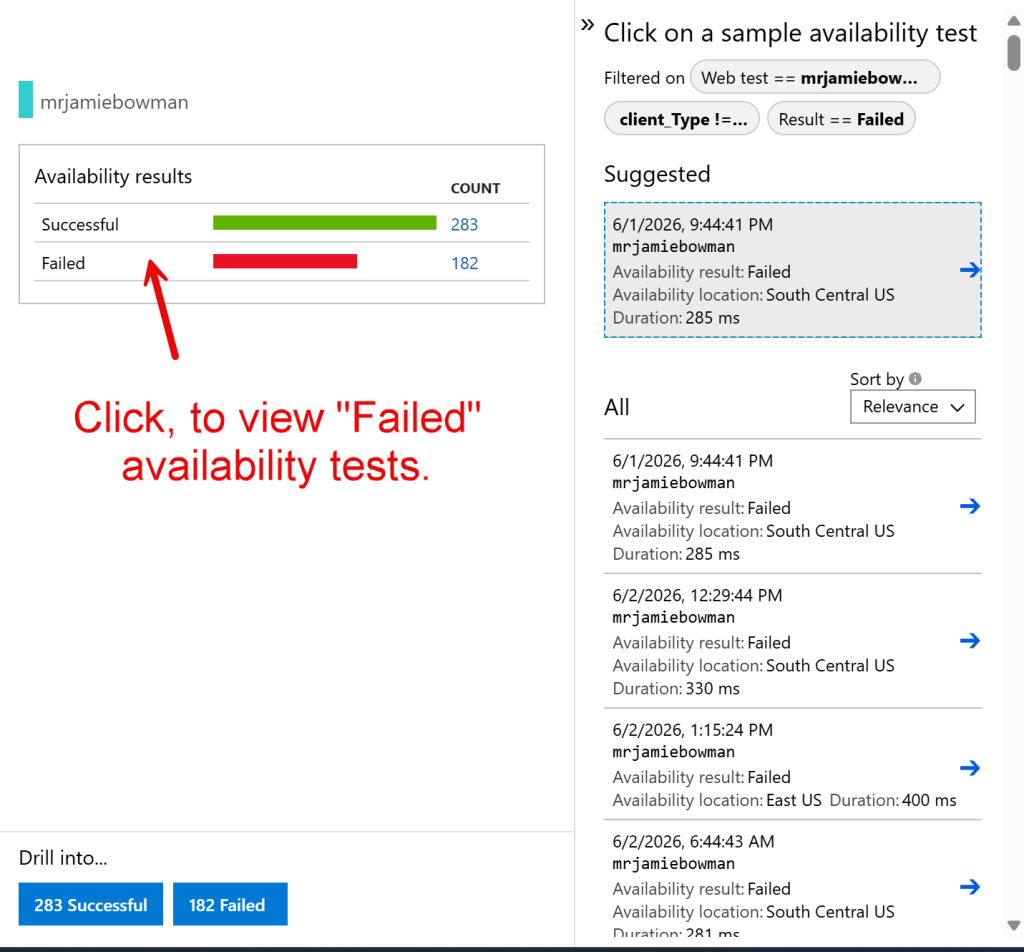
Now, I do have some failed results which works well for this example. If we click on “Failed” it opens a drawer with a list of recently failed tests. We can drill down into the error to see what’s causing it.
When we drill down into the message we can see that it’s a “202 – Accepted”, which makes this a false positive. This is succeeding, it’s just returning an unexpected acceptance message.
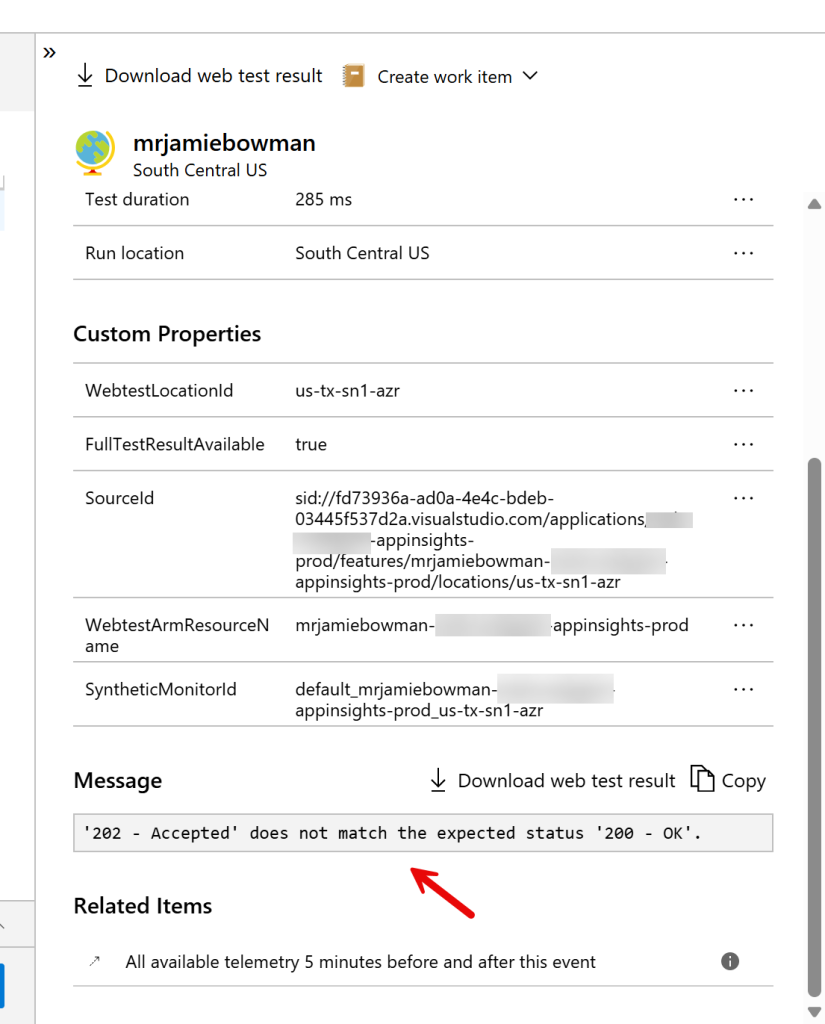
I suspect this is happening because of caching or some sort of intermediate service. There’s an easy work around to where instead of setting the acceptance criteria to only take HTTP Status Codes of 200, we can select “Response < 400” which covers more status codes. This will fix my issue and set it to fail when something is critically wrong.
Response < 400
Accepted
200 OK
201 Created
202 Accepted
204 No Content
301 Moved Permanently
302 Found
304 Not Modified
Fail
400 Bad Request
401 Unauthorized
403 Forbidden
404 Not Found
500 Internal Server Error
503 Service Unavailable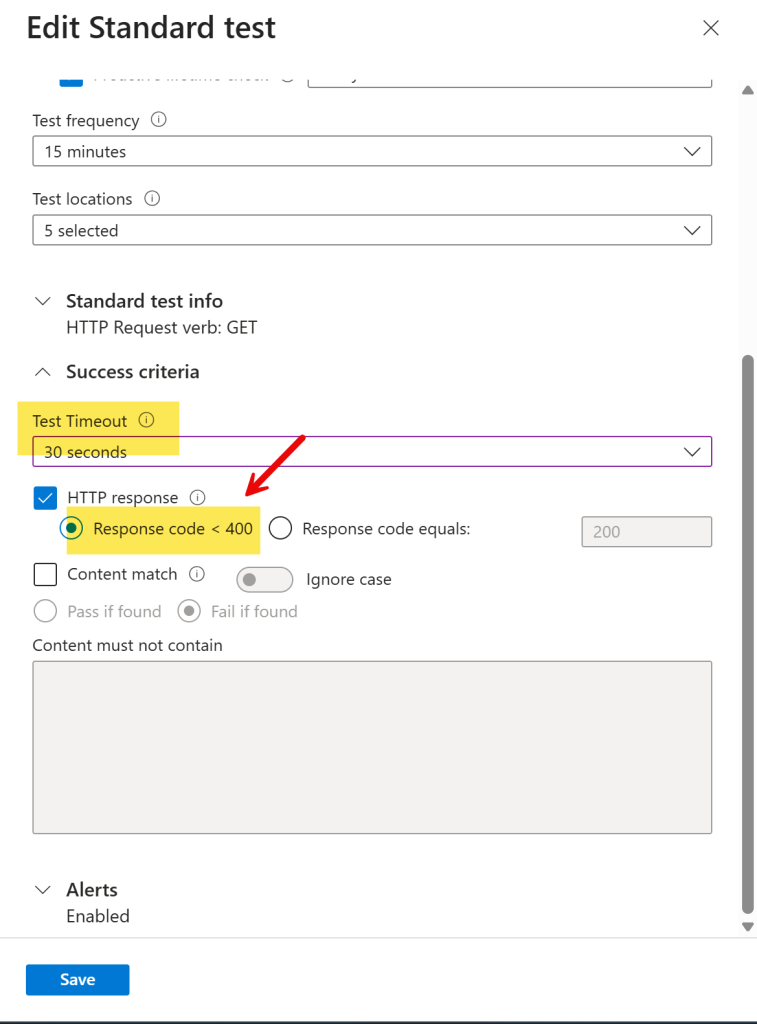
Internal: Availability Checks on a Private Network
With the Classic and Standard Tests going over the public Internet, we won’t be able to test over a private network. This is where it gets tricky because we need to build a .NET Microservice that can track the web application internally and push that data to Application Insights.
Useful
- Private Networks
- Firewalled Networks
Public GitHub
I wrote and am sharing a .NET Microservice that can run in Kubernetes and run the checks on an internal network.
https://github.com/mrjamiebowman/AvailabilityChecks
SDK Availability Check
I want to high-light what the SDK code looks like to correctly frame how this works. This is what we want to do if we want to push directly to Application Insights.
// this is what makes it show up in the Application Insights Availability blade.
var availability = new AvailabilityTelemetry
{
	Name = site.Name,
	RunLocation = site.Location ?? Environment.MachineName,
	Timestamp = timestamp,
	Duration = duration,
	Success = success,
	Message = message
};

availability.Properties["url"] = site.Url;
availability.Properties["machine"] = Environment.MachineName;
availability.Properties["environment"] = Environment.GetEnvironmentVariable("ASPNETCORE_ENVIRONMENT") ?? "Unknown";

_telemetryClient.TrackAvailability(availability);
Deployment
I’ve included a Helm Chart in the application. What I do when I have an open source project like this, is, I set up a new repository in Azure DevOps with a Git Submodule. I then run my own build process, push to the Azure Container Registry and deploy the necessary configuration to Kubernetes. This works really well because it gives me a level of customization and security within my environment.
Alternatively, you could use the Charts and the public image on DockerHub.